First, the thing that is not a difference
Neither of these brands requires you to pay monthly to keep your footage, and that already puts both of them ahead of the cameras most people buy. Wyze states that every Wyze Cam has a microSD slot, that you can set it to Continuous or Events Only, and that local storage is free. eufy’s whole product design is a base station that holds the recordings, with AI detection running on that base station rather than behind a paywall. Both sell an optional cloud plan on top. Neither needs it for the camera to do its job.
So if you arrived from our ranking of cameras that need no subscription, you can stop worrying about the monthly bill with either brand and spend your attention on the four things that actually differ: whether it records all the time, how it gets power, what the footage sits on, and what you pay on day one.
Continuous or event-only: the decision this page turns on
Wyze records continuously. The Cam v4 takes a microSD card up to 256GB and Wyze publishes Continuous as a recording mode alongside Events Only. Put a card in it, pick Continuous, and there is a rolling record of the room. When something happens at 3am that no motion sensor thought was interesting, the footage exists anyway.
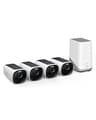
eufy records events. This is not us editorializing: eufy’s own support answer to “can this camera record 24/7?” is that a battery-operated camera will not record continuously, even connected to a HomeBase 3. eufy also describes the S330 as using radar plus PIR detection — two sensors whose job is to decide when to wake the camera up. That is excellent engineering for a camera that has to live a season on a battery and a small solar panel. It is also a different product from a continuous recorder, and the brochure 4K number does not tell you that.
Which one you need depends on a question nobody asks in the store: are you watching a place where things happen, or a place where things are? A driveway, a porch, a side gate — events. A nursery, a shop floor, a garage with tools in it, a spot where the useful footage is the hour before you noticed anything was wrong — continuous. Our guide to whether security cameras record all the time works through that distinction across every brand we cover, and how long cameras keep footage covers what a given card size actually buys you in days.
The full comparison
Manufacturer-published figures only, read on the date at the top of this page. Where a brand does not publish a figure we leave it out rather than estimate it. | Wyze Cam v4 | eufyCam S330 (4-cam kit) | Reolink Argus PT Ultra |
|---|
| Resolution | 2.5K (2560 x 1440) | 4K | 4K at 15fps |
|---|
| Records continuously | Yes — Continuous mode to the card | No — eufy states a battery camera will not record 24/7 | To a card; it is a battery camera |
|---|
| Footage lives on | microSD up to 256GB | HomeBase 3, expandable local storage | microSD up to 512GB |
|---|
| Monthly fee for recording | None — Wyze states local storage is free | None — recording and AI run on the HomeBase | None — Reolink cloud is optional |
|---|
| Power | Wired USB | Rechargeable battery + integrated solar | Rechargeable battery + optional solar |
|---|
| Night vision | 4 x 850nm IR + starlight sensor, 2 spotlight LEDs at 72 lumens | Infrared plus color night vision with a motion-activated spotlight | 2 x 6500K spotlights to 33 ft + 2 x 850nm IR LEDs |
|---|
| Field of view | 115.8° diagonal | 135° lens | 110° diagonal, with 355° pan / 140° tilt |
|---|
| Detection | Motion; smarter person/package AI is Cam Plus | Radar + PIR, with face recognition on the HomeBase | PIR detection |
|---|
| Weather sealing | IP65 | IP67 | IP65 |
|---|
| Wi-Fi | 2.4GHz only | 2.4GHz, via the HomeBase | Dual-band |
|---|
| Needs a base station | No | Yes — the HomeBase plugs into your router | No |
|---|
| Price bracket | Budget | Premium (four-camera kit) | Mid |
|---|
Read the second row before the first. The eufy is the sharper camera on paper and the Wyze is the only one of the three that will keep a rolling record, and those two facts pull in opposite directions. Note also that the resolution gap is smaller in practice than 4K-versus-2.5K suggests, because a battery camera that is asleep records nothing at any resolution.
Where the footage sits, and what happens if the camera walks
These two brands put the recording in different buildings, in effect, and that has two practical consequences nobody mentions until it matters.
Capacity. Wyze publishes microSD support up to 256GB on the Cam v4. eufy records to the HomeBase 3 with expandable local storage, which is a different order of headroom. If you are running one camera, 256GB of rolling footage is plenty; if you are running four, the base station is the design that scales and the card is the one you will be managing. Neither brand publishes a bitrate, so we will not convert any of those figures into days — a number of days per gigabyte is a guess dressed up as a spec, and our guide to how long cameras keep footage explains why that calculation cannot be done honestly.
Theft. A card inside the camera leaves with the camera. That is the one genuine advantage cloud recording has over local storage, and a base-station system like eufy’s closes it without a subscription: the cameras are outside and the footage is indoors on the HomeBase, so taking the camera gets a thief a camera. With a Wyze, the clip of the person removing your camera is on the card in the camera they just removed. If that scenario is the one you are buying against, the base-station architecture is worth the money on its own.
Power is the real dividing line
The Cam v4 is wired USB. That is not a small caveat — it decides where the camera can live. Indoors it is barely a constraint; there is an outlet in every room. Under an eave with a cable run it is fine. On a fence post at the end of the garden it is impossible. Every Wyze Cam v4 you own is a cable you had to solve.
The eufyCam S330 is the opposite proposition: rechargeable battery with integrated solar, which in practice means you climb the ladder once. That is the entire reason the kit costs what it costs, and if you have four places around the outside of a house that need covering, it is worth it. Four Wyze cameras outdoors means four power problems; four eufy cameras means one HomeBase near the router.
It also means the cameras are not standalone. The HomeBase is where the footage and the AI live, so it has to be plugged in and it has to be working. That is a genuine single point of failure in exchange for a genuine convenience, and it is the trade our wireless and battery camera ranking weighs across every brand that sells a base station.
Where Wyze costs you something
Three honest cautions, because a cheap camera you later regret is not a saving.
The free tier has an edge to it. Local recording is free and continuous, but the smarter detection — the person and package alerts that stop your phone buzzing at every passing car — is what Cam Plus is for. You can run the camera entirely without it. You will just get more alerts that turn out to be a cat. eufy puts its equivalent AI on the HomeBase at no charge, and on this specific point eufy is straightforwardly better.
2.4GHz only, and one band is all you get. Fine in most homes, awkward in a crowded apartment building where the 2.4GHz band is a traffic jam. The Reolink is the dual-band option here.
Wyze’s security history is mixed, which we say on every Wyze page rather than only when it suits the argument. A camera inside your home is a different trust decision from one on the driveway. Our guide to securing smart home devices is worth ten minutes before you put any brand’s camera in a bedroom.
Where eufy costs you something
The upfront price is the whole objection. A four-camera S330 kit is a premium purchase and there is no way to dress that up. The counter-argument is real and it is the one this site is built on: a system you buy once and never pay for again beats a cheaper camera with a monthly bill attached, over any period long enough to matter. But that argument only works against subscription cameras. Against a Wyze, which also has no bill, you are simply paying more money for better hardware — so decide whether you want the better hardware.
Event capture, not continuous, covered above and worth repeating because it is the thing buyers discover afterwards.
eufy had a 2022 disclosure about how cloud thumbnails were handled, which matters for a brand whose entire pitch is that your footage stays home. The local-storage design is still why we rate the no-fee approach, and our eufyCam review carries the full history rather than burying it. Read it before you buy the kit, not after.
Apple Home support is limited next to Alexa and Google on both brands. If your house runs on Apple, check the compatibility matrix before you commit to either.
The third camera that splits the difference
If the Wyze is out because there is no outlet and the eufy kit is out because of the price, the Reolink Argus PT Ultra is the obvious third answer and the reason it is on this page. Reolink publishes 4K at 15fps, two 6500K spotlights rated to 33 feet plus two 850nm infrared LEDs, 355 degrees of pan and 140 of tilt, a microSD slot up to 512GB, dual-band Wi-Fi, IP65 and a solar panel option. One camera that physically turns to look covers a yard that would otherwise need three fixed cameras, it runs on solar like the eufy, it records to a card like the Wyze, and it needs no base station at all.
What you give up is polish: Reolink’s app is functional rather than lovely, pan and tilt adds a moving part to a device that lives outdoors, and the smart-home integrations are thinner than the big brands’. It is the enthusiast’s pick, and it is also the best camera here if you run your own system — see the best cameras for Home Assistant for why Reolink wins that comparison outright on local control. Reolink vs eufy settles that pairing in detail.
So which one
Buy Wyze for indoor rooms, for anywhere with an outlet, for a first camera, for a continuous record, and whenever the budget is the constraint. Two or three Wyze cameras inside a house cost less than one of most things and cover the places where you actually want to be able to scroll back.
Buy eufy when you are covering the outside of a house, when climbing a ladder twice a year is the thing you are paying to avoid, when 4K matters, and when you accept event capture in exchange for never touching the camera. It is the better system; it is not the better single camera, and it is not a continuous recorder.
Buy Reolink when you need wire-free outdoors on a mid budget, want to cover a lot of ground per camera, or plan to run the footage through your own software.
For the wider version of this argument — what every camera we cover costs to run rather than to buy — start with our overall camera ranking, and if you are weighing Wyze against the brands that do charge monthly, Wyze vs Ring is the comparison where the subscription is the whole story.