What matters for an older household, in order
1. Arming without a phone
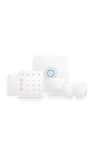
Every system here ships with a physical way to arm and disarm that is not an app. SimpliSafe’s 8-piece kit and Ring’s 8-piece kit both include a wall keypad; Abode’s kit includes a key fob; eufy’s kit includes a keypad. That sounds obvious and it is the first thing to check on any “smart” system, because some camera-first brands sell alarms that are app-only. A keypad by the door with one big button to arm is the interface an older person will actually use, and a fob on the keyring is the one they will not forget.
Ring adds a second phoneless route: because Ring Alarm is an Amazon product, an Echo speaker can arm it by voice. For someone with limited mobility, “Alexa, arm Ring in Home mode” from an armchair is a real accessibility feature, not a gimmick — with one caveat Ring prints on the kit page itself: hands-free arming through Alexa is marked “subscription required.” SimpliSafe and Abode also list Alexa and Google support, so voice control of some kind is available across three of the four.
2. Who comes when the alarm goes off
This is the row that should decide most purchases on this page. A self-monitored system sends a phone notification and sounds a siren; if the person at home cannot respond and nobody else is watching the app, that is where it ends. Professionally monitored systems add a human. SimpliSafe describes its agents as “ready 24/7 to request dispatch in the event of a break-in, fire, or medical emergency” — note the third item — and states that its monitoring subscribers “are not tied up in long-term contracts,” with no cancellation fees. Ring’s Ring Pro plan tier includes “24/7 Professional Monitoring.” Abode offers optional plans including short-term, on-demand monitoring — useful for a parent who only wants a human watching while they travel.
eufy’s 5-piece kit has no professional monitoring option at all. It is self-monitored only. That is why it is fourth, and why we describe it as the pick only when a family member is actively watching the app; for someone living alone it is the wrong system, however attractive the zero monthly fee. Our comparison of DIY versus professional monitoring goes deeper on what a monitoring center actually does.
3. A button that is not a phone
SimpliSafe sells a Panic Button accessory and states that, with monitoring, “monitoring agents request police and medical dispatch 24/7” when it is pressed. A wall-mounted or bedside-mounted button that reaches a human without dialing is the single feature that comes closest to a personal alert device inside a burglar-alarm system, and SimpliSafe is the brand here that documents it plainly. Abode’s kit includes a key fob for arming and disarming from a pocket; we have not found an equivalent published panic-button statement for the Abode, Ring or eufy kits and do not assume one.
4. Power cuts and lost internet
Older homes lose power; older routers drop out. SimpliSafe publishes that its base station is “Wi-Fi connected, with built-in network backup and up to 24-hour battery that takes over if power goes out.” Ring’s kit page says the base station keeps you covered “for up to 24 hours even if the power goes out,” and marks Alarm Cellular Backup as a subscription feature. Abode’s hub has a battery backup and a 93dB siren built in, and adds cellular backup with a plan. eufy’s HomeBase has a battery backup. The pattern is consistent: the battery is built in everywhere, and the cellular path that lets the alarm reach a monitoring center when the internet is down is a plan feature on every system that has one. If monitoring is the reason you are buying, the plan is not optional.
The picks compared
Manufacturer-published capabilities, read on the date at the top of this page. 'Not published' means we could not find the maker stating it and did not assume. | SimpliSafe 8-piece | Ring Alarm 8-piece | Abode 4-piece | eufy 5-piece |
|---|
| Arm without a phone | Keypad | Keypad; Alexa voice | Key fob | Keypad |
|---|
| Professional monitoring | Optional, 24/7, incl. medical dispatch | Optional (Ring Pro) | Optional, incl. on-demand | Not available |
|---|
| Contract | None; cancel any time | Not stated on kit page | On-demand plans available | No plan exists |
|---|
| Panic button | Accessory, with dispatch | Not published | Not published | Not published |
|---|
| Battery backup | Up to 24 hours | Up to 24 hours | Yes | Yes |
|---|
| Cellular backup | Built-in network backup | With Ring Pro | With plan | Not published |
|---|
| Voice assistants | Alexa, Google | Alexa | Alexa, Google, Apple Home | Alexa, Google |
|---|
| Free with no plan | App control, self-monitoring | App alerts, arm/disarm | Basic self-monitoring | Everything it does |
|---|
SimpliSafe is first because it is the only system here that publishes all four answers in the way an older household needs them: a keypad, 24/7 agents who explicitly include medical emergencies, a panic button with dispatch, a stated 24-hour battery, and monitoring you can cancel at any time. Ring is second because voice arming through an Echo is genuinely useful for limited mobility, the hardware is cheap, and professional monitoring exists — but it is bundled into the top Ring plan alongside camera features a parent may never use. Abode is third for the key fob and the unusual on-demand monitoring, and because it is the only one that also works with Apple Home; its 4-piece kit is also the smallest here, so budget for extra sensors. eufy is fourth for the reason above.
Setting it up so it stays simple
The best system is the one that is never touched after week one. Three habits from the makers’ own instructions. Mount the keypad by the door most used, at a height that does not require bending or reaching, and set a single four-digit code the person will remember — not the default. Put the base station somewhere central and leave it plugged in; its battery is for outages, not for daily unplugging. And if you are the adult child setting this up remotely, add yourself to the account so the alerts reach two phones; SimpliSafe says it calls “the names on your contact list” during an alarm, so make sure that list has more than one name on it.
One more practical note. Every system here uses peel-and-stick wireless sensors, which is why they suit an older home and a renter alike — nothing is drilled and nothing is wired. Our apartment security ranking applies the same no-drill test, and what a home security system costs lays out the up-front versus monthly math. For a full-house plan, a keypad alarm pairs well with a video doorbell so the person inside can see who is at the door without opening it, and with a handful of devices we recommend for parents for the same reason.
What we deliberately did not do
We have not ranked medical alert pendants or professionally installed systems here. Medical alert services are a different product with different obligations, and if a doctor or care worker has recommended one, a burglar alarm with a panic button is not a substitute for it. Professionally installed systems — the ADT and Vivint tier — usually come with the multi-year contracts this page exists to avoid; our Vivint review explains what you get for that commitment and who it suits.