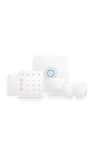
How to choose a home security system
Start with the monitoring question, because it’s the biggest hidden cost and it steers everything else. Decide whether you want a professional center to answer the alarm and dispatch help, or whether you’re happy being the one who reacts to a phone alert. That single choice narrows the field faster than any spec sheet.
Self-monitored or professionally monitored?
With self-monitoring, a tripped sensor pushes an alert to your phone and you decide what to do — it’s free on every system here, and for a lot of people it’s enough. With professional monitoring, a staffed center watches the system 24/7 and can call the authorities on your behalf, which matters most when you’re asleep, traveling, or simply not looking at your phone. Look for monitoring stations that meet the UL 827 standard, the benchmark for alarm monitoring centers. SimpliSafe, Ring and Abode all offer professional monitoring as an optional, month-to-month add-on; eufy is self-monitored only, with no professional option at all. If dispatch is a must-have, that rules eufy out before you compare anything else — and if you are choosing for an older parent, our security systems for seniors page ranks these same kits on keypad, dispatch and power-cut behavior.
Match the system to your ecosystem
A security system tends to live at the center of a wider smart home, so it pays to buy one that speaks your ecosystem’s language. If your house already runs on Alexa, Ring Alarm is the path of least resistance — it ties straight into Ring cameras and Amazon voice control. If you’re an Apple household, there is now no answer on this page, and we would rather say that than stretch one: Abode used to be it, because its Smart Security Hub was published as certified for Apple Home and controlled Z-Wave and Zigbee too, but every kit built on that hub went “Currently unavailable” on Amazon by 16 October 2026. The Abode kit still on sale ships the newer Security Hub, which Abode states is not HomeKit compatible. If the alarm has to appear in the Home app, treat that as an unmet requirement rather than buying one of these and hoping. Every kit on this page works with Alexa, and all but Ring Alarm also work with Google Home. Check the compatibility matrix before you commit if you already own devices you want it to play with.
Weigh the true five-year cost, not the sticker
The kit price is the smallest part of the decision. Add professional monitoring and, over five years, the fee can quietly exceed what you paid for the hardware — which is exactly why a no-fee, self-monitored system can be the cheaper choice long term even if it costs a little more up front. Run your own numbers with the home security system cost guide, and remember these are DIY products: there’s no contract and no early-termination fee, so you can turn professional monitoring on for a vacation and off again when you’re home.
Does a security system actually deter break-ins?
It’s a fair question to ask before spending anything. Federal victimization data on household burglary is the sober place to start rather than any brand’s marketing, and visible deterrents — a yard sign, a sensor on a door, a camera at the entry — are a reasonable, low-cost first layer. Whatever you buy, secure it like the internet-connected device it is: a strong, unique password and two-factor authentication on the account.