Security Cameras
Indoor, outdoor and doorbell cameras compared on the thing that actually costs you money over time: whether you need a monthly plan, and where the footage lives.
A home security camera is the single most useful piece of security gear most people buy — and the one where the sticker price tells you the least about what you’ll actually spend. A $60 camera that needs a $6-a-month plan to save a clip costs more over five years than a $150 camera that records to a card for free. That gap is what this hub is built around.
So we compare cameras on three things, in order. Does it need a subscription? Some brands (Ring, Arlo) store nothing without a monthly plan; others (Wyze, eufy, Reolink, TP-Link) record locally to a card or a base station for free. Where does the footage live? Local storage is cheaper and more private; cloud storage is convenient but ongoing. And how is it powered— wired, battery, or solar — because that decides where you can actually put it.
Wired, battery, or solar?
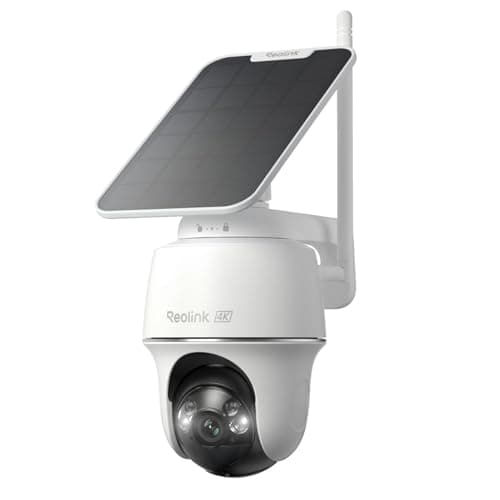
Wired cameras (like the Wyze Cam v4 or a Tapo) never need charging and can record around the clock, but you have to be near an outlet. Battery cameras go anywhere and install in minutes, at the cost of periodic recharging. Solar cameras — eufyCam, Reolink’s Argus line — are the best of both if the spot gets a few hours of sun: wire-free placement with effectively hands-off power. For a front door or driveway that catches light, solar is usually the answer; for an indoor camera, plain wired is simplest. Our wired vs wireless camera guide works through how the two behave differently at night, in a blackout and on detection.
The subscription question, up front
Camera subscriptions typically buy you three things: cloud clip storage, smarter AI detection (person vs package vs car), and longer video history. None of that is worthless — but a lot of it is available for free if you buy a camera that records to a microSD card or a local base station. If you never want to think about a monthly bill, start with our no-subscription camera picks, or read the plain-English answer to “do cameras work without a subscription?” If you want the running-cost math laid out over five years, the smart-home running-cost guide does exactly that.
Resolution, night vision and field of view
Most cameras today are 2K or 4K; 1080p is still fine for a small area but looks soft when you zoom to read a face or a plate. Color night vision (a low-light sensor plus a spotlight) beats old grayscale infrared for actually identifying someone after dark. And a wide or “head-to-toe” field of view matters more than raw megapixels for a doorbell, where you want to see a package on the step as well as a face.
A note on privacy and security
A camera is an internet-connected device with a view into your home, so treat it like one: use a strong, unique password and turn on two-factor authentication. The FTC and CISA both publish plain guidance on this, and it’s worth two minutes. Local-storage cameras have a privacy edge here because your footage never has to leave the house. Below, every roundup and head-to-head leads with the subscription and storage facts, then the picks — each with a live price and a one-click buy link.
Everything in Cameras
Best Home Security Cameras
Our picks across indoor, outdoor and value — ranked on resolution, storage, and whether a subscription is required.
Our top pick
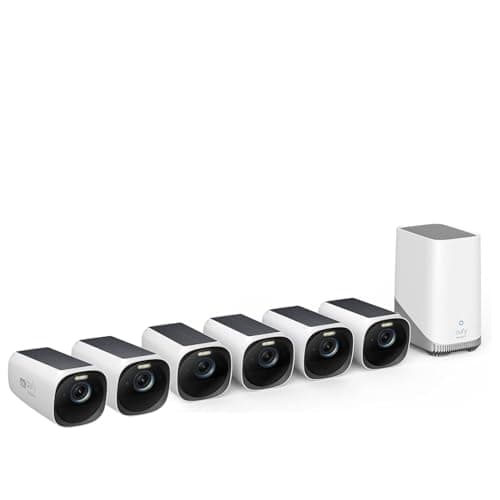
eufy eufyCam S330 (eufyCam 3) 6-Cam Kit
Best Security Cameras Without a Subscription
Cameras that record locally and work fully without a monthly fee — the running-cost the big brands don't put on the box.
Our top pick
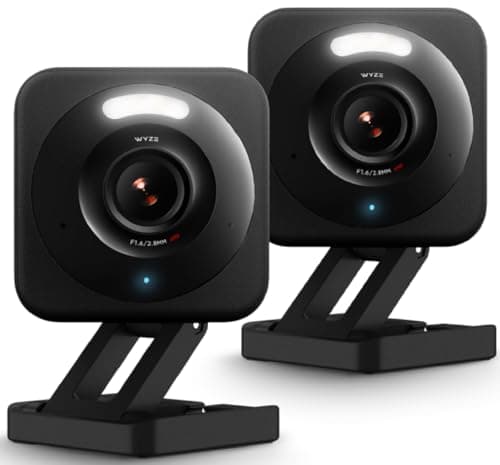
Wyze Cam v4 (2.5K)
$87.98 · View on AmazonPrice as of October 19, 2026. #ad How we’re funded
Wyze vs Blink: Which Budget Camera Wins?
Two cheap, popular camera lines compared on storage, subscription, power and who each one actually suits.
Best Wireless & Battery Security Cameras
Wire-free cameras you can mount anywhere — ranked on battery life, solar options and, of course, whether the footage costs you a monthly fee.
Our top pick
eufy eufyCam S330 (eufyCam 3) 6-Cam Kit
eufy vs Ring: Which Camera System Wins?
Local storage with no fee versus a polished cloud ecosystem — the two most cross-shopped camera brands compared on the cost that matters.
Best Smart Security Cameras
Cameras ranked on smart-home fit — voice control, viewing feeds on a display, and triggering routines — not just picture quality.
Our top pick
eufy eufyCam S330 (eufyCam 3) 6-Cam Kit
Best Home Security Camera Systems
Multi-camera systems ranked on how well they scale to cover a whole home — and whether the storage cost grows with every camera you add.
Our top pick
eufy eufyCam S330 (eufyCam 3) 6-Cam Kit
Best Indoor Security Cameras
Indoor cameras judged on the two things that matter inside a home: where the footage is stored, and whether you can switch the thing off when you are in.
Our top pick
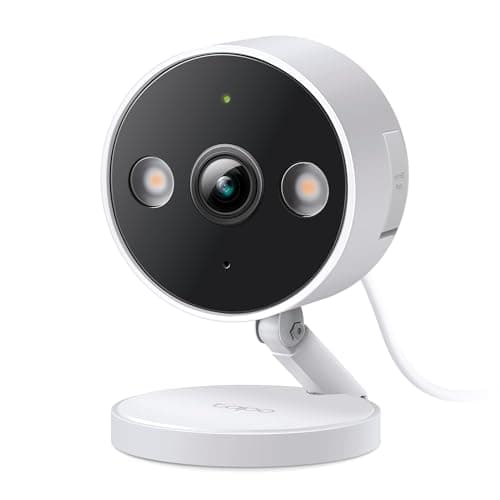
TP-Link Tapo C120 (2K+)
Wyze vs Tapo
Two very cheap cameras that both record to a memory card for free — separated by the Wi-Fi band, the sensor, and each brand's history.
Reolink vs eufy
Two ways to avoid a camera subscription: a memory card in every camera, or one HomeBase holding footage for the whole property.
Ring vs Blink
Amazon owns both brands, but only one of them can record without a monthly plan — and only if you buy the right sync module with it.
Ring vs Arlo
Two cloud-first camera brands that both want a monthly plan — compared on what you actually get without one, picture, power and ecosystem, plus the no-fee alternative to both.
Best Security Cameras for Night Vision
Infrared, starlight sensors and spotlights explained, then the cameras ranked on the night-vision specs their makers actually publish — with live prices.
Our top pick
eufy eufyCam S330 (eufyCam 3) 6-Cam Kit
Best Security Cameras for a Garage
A garage has no outlet, sits at the edge of your Wi-Fi and gets colder than any room in the house — the cameras that survive all three, on published specs.
Our top pick
Reolink Argus PT Ultra (4K, solar)
Wyze vs Ring
One records to a memory card for free and one records nothing at all without a monthly plan — that single published difference decides most of this comparison.
eufy vs Arlo
Both sell a base station, but only one lets it replace the subscription — Arlo's own documentation says local storage cannot substitute for cloud recording.
Wyze vs eufy
The cheapest camera that records for free against the system built so you never pay — a card in the camera versus a base station in the hallway.
Best Security Cameras for Home Assistant
Ranked on what Home Assistant itself documents: which cameras run Local Push on your own network, which only poll a cloud, and which will not give you a live stream at all.
Our top pick
Reolink Argus PT Ultra (4K, solar)
Best Security Cameras for Alexa
“Works with Alexa” means four different things for a camera. Ranked on which ones an Echo Show can actually show you, which need a plan first, and which time out after ten minutes.
Our top pick
eufy eufyCam S330 (eufyCam 3) 6-Cam Kit
Tapo vs Reolink
The two brands that both let you keep your footage and skip the plan — separated by where the card goes, which Wi-Fi band they use, and which one Home Assistant can actually see.
Best Security Cameras for an Airbnb
Airbnb's own policy decides this one before the specs do: no indoor cameras at all, exterior cameras only if the listing discloses them. Ranked on what a host can legally run and still keep the footage.
Our top pick
eufy eufyCam S330 (eufyCam 3) 6-Cam Kit