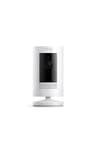
How to choose an indoor camera
Four questions, in this order. Get the first one right and the rest mostly answer themselves.
1. Where does the footage live?
This is the whole decision. A camera with a microSD slot records in your house, on a card you own, and keeps doing it whether or not you pay anyone. A cloud-only camera uploads clips to a company’s servers, which means the recordings exist on someone else’s hardware and usually behind a monthly plan. Neither is automatically wrong — cloud storage survives a burglar taking the camera, and local storage does not — but they are opposite trades, and inside a home most people care more about the footage not leaving the building. Our subscription guide works through the whole question, and the no-subscription camera picks take it further across indoor and outdoor.
2. Can you turn it off?
An indoor camera points at the room you live in. Whatever the brand promises about encryption, the household reality is that people behave differently when a lens is watching, and the answer is not to pretend otherwise — it is to have a privacy plan. That can be a physical privacy shutter, an automation that disarms the camera when your phone is home, or simply pointing it at the front door rather than the sofa. Decide which of those you will use before you mount anything; a camera the household resents gets unplugged and then it protects nothing.
3. What resolution do you actually need?
More than you might think, for a specific reason: digital zoom. Indoors you are usually trying to read a detail in a small part of the frame — a face at the far end of a hallway, what someone was carrying — and cropping into 1080p leaves you with a smear. The 2K and 2.5K sensors on the picks below are cheap enough now that there is little reason to buy lower, and the extra pixels are exactly what makes the footage useful rather than merely present.
4. Wired or battery?
Indoors, wired is usually right. Power is never far away, a USB cable is not an eyesore on a shelf, and mains power is what makes continuous 24/7 recording possible rather than motion-triggered clips only. Battery indoor cameras exist and suit awkward placements, but you are paying in recharging and in recording mode for a convenience you rarely need inside. Our wireless and battery picks are the page to read if you have an awkward spot with no outlet.
Indoor versus outdoor: what actually changes
| Indoor camera | Outdoor camera |
|---|
| Weather rating | Irrelevant | Essential |
|---|
| Power | Outlet is usually close | Often battery or solar |
|---|
| Recording mode | Continuous is practical | Usually motion-triggered |
|---|
| Night vision range | Short — one room | Long — a yard or drive |
|---|
| Biggest risk | Household privacy | Theft of the camera itself |
|---|
| Storage that suits it | Local card in the room | Local base or cloud |
|---|
The last row is the one worth pausing on. Outdoors, an argument for cloud storage genuinely exists: if someone rips the camera off the wall, a clip already uploaded is the only evidence you have. Indoors that argument is much weaker, because an intruder who reaches your shelf camera has already been recorded on the way in by everything else. So the cloud’s main selling point loses most of its force in exactly the place where privacy concerns are highest — which is why our indoor ranking leans so hard toward local storage. One more indoor-only question: if you plan to point one of these through a window at the street, read can a security camera see through a window? first — infrared and glass do not mix after dark.
Where indoor cameras fit in a whole setup
A camera records; it does not respond. If what you actually want is for something to happen when a door opens while you are out, that is an alarm system’s job, and our best home security systems roundup covers the DIY kits that do it without a contract. The sensible division of labor in most homes is an alarm on the perimeter, a doorbell camera at the front, and one or two indoor cameras covering the hallway or the room the back door opens into.
On placement: cover the routes rather than the rooms. A camera on the hallway sees anyone moving between spaces, which is more useful than one watching a single unused room. Our guide to where to place security cameras covers the reasoning for the whole property, indoors and out. And whichever camera you buy, secure the account behind it properly — a strong unique password and two-factor authentication, per the FTC’s consumer guidance on home cameras. A camera account is one of the few things in a house worth protecting as carefully as the door itself.
One privacy question an indoor camera raises that an outdoor one mostly does not is sound. Every camera on this page has a microphone, TP-Link documents sound-based detection on the C120, and we could not find a documented mute on any of them — while on a Ring camera the audio toggle requires a subscription to change. What each maker does and does not publish is in do security cameras record audio? If you are also weighing the two cheapest no-fee brands against each other, Tapo vs Reolink is the comparison that separates them.