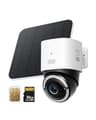
Start with the distance, not the camera
Before you compare a single spec, walk to where the camera will go and look at your phone. A driveway camera is typically 40 to 100 feet from the router with at least one exterior wall in the way, and 2.4GHz Wi-Fi is the band that travels — which is why almost every battery camera uses it. The trap is that 2.4GHz is also the busiest band in a neighborhood.
Only one pick here publishes a choice. Reolink lists operating frequency for the Argus PT Ultra as “2.4GHz/5GHz”, so you can sit it on the quieter band if the drive is close enough, or fall back to 2.4GHz for reach. eufy publishes 802.11 b/g/n 2.4GHz for the eufyCam S330, and the cameras talk to a HomeBase rather than straight to your router. Blink publishes 2.4GHz only.
If the honest answer at the end of the drive is “one bar, and sometimes nothing”, stop comparing cameras and solve that instead. Three routes: move the access point, add a Blink Sync Module XR, which Blink rates for 900MHz extended range to its cameras, or buy a camera that skips your network entirely. That last one is why the 4G LTE model is on this page.
Then solve power, because a driveway rarely has an outlet
There is a reason none of our four picks is a mains-powered camera. The two cheap, excellent wired cameras we carry — the Wyze Cam v4 and the Tapo C120 — both need a USB cable to an outlet, and running one to the end of a driveway is an electrician’s job. If you happen to have a covered outlet out there, buy one of those and skip the rest of this page; our garage camera picks cover exactly that case.
For everyone else the published numbers are these. Reolink sells the Argus PT Ultra with a solar panel and says in its own FAQ that it can be charged instead “via a 5V 2A USB charger”. eufy publishes an integrated solar panel on the eufyCam S330 “only needing 2 hours of daily sunlight”, and a 9,400mAh battery plus solar on the 4G LTE model with the same two-hours-of-sun claim and roughly a month of runtime with no sun at all. Blink takes the other route entirely: two AA lithium cells rated up to two years, no charging, no panel, no cable — you just replace them.
Sun matters more than capacity on a driveway. A panel under a tree or on a north wall will not meet the two-hour figure in winter, and a camera that needs taking down to charge in January is a camera you will stop taking down. If your driveway is shaded, Blink’s AA cells are a more honest fit than any solar claim.
What actually triggers when a car arrives
This is where driveway buying goes wrong, because almost nobody publishes a detection figure for a vehicle. Here is the complete set of what our four makers do publish.
Reolink is the most forthcoming: the spec list reads “PIR Detection/Human Detection/Vehicle Detection/Pet Detection”, and the PIR range is published as “Adjustable up to 10m (33 ft)” over a “120° Horizontal” detecting angle. Pet detection is marked beta and limited to cats and dogs.
eufy publishes an AI list of “Face/Human/Vehicle/Pet” for the eufyCam S330, so vehicle detection is a named feature, and its FAQ gives the only distance figure on the page: “The motion sensor can detect objects moving 25-30 ft (8-10 m) away”. Worth knowing: the page is inconsistent with itself about the sensing hardware — the S330 copy describes “Radar and PIR motion sensing”, while eufy’s own comparison table lists eufyCam 3 motion detection as PIR. We report both rather than picking the flattering one. On the 4G LTE model eufy states the AI “detects and tracks people, and vehicles”.
Blink publishes no vehicle detection for the Outdoor 4. Its specification page covers 1080p, a 143° diagonal view and the battery rating; there is no published vehicle class, so the table below says “not published” rather than assuming one exists behind a plan.
The practical reading: a PIR sensor rated to about 33 feet is pointed at the wrong thing if your gate is 60 feet away. On a long drive, mount the camera where the car arrives — beside the parking spot, on the garage, at the gate post — not on the house looking down the length of it. Every pick here detects motion across the frame far better than it detects motion straight toward the lens, which is the one thing a car approaching down a driveway is doing.
The license plate question, answered honestly
Most people buying a driveway camera want one thing: a readable plate if a vehicle is stolen or someone hits the car. Here is the truth, with the one published exception.
Of everything we carry, exactly one camera makes a plate claim, and it is eufy’s own wording for the 4G LTE Cam S330: “The color 4K camera gives you the clarity to identify a license plate 30 feet (10 meters) away”. That is eufy’s claim and we report it as such — 30 feet, in color, which means in daylight or inside the reach of the spotlight. eufy separately publishes that the 100-lumen spotlight shows color detail “up to 26 feet (8 meters) away”.
Reolink makes no plate claim on the Argus PT Ultra page, and neither eufy’s S330 page nor Blink’s specification page mentions plates at all. So on three of our four picks you should plan for vehicle description — color, shape, direction, time — rather than vehicle identification.
Two physical reasons, both worth understanding before you spend more money chasing resolution. At night, an infrared camera floods the scene with 850nm light that a retroreflective plate bounces straight back, so the plate blows out to white exactly when you need it; this is the same glare effect Blink warns about for reflective surfaces in its night vision article. And a wide lens spends its pixels on the whole yard: the Argus PT Ultra publishes a 90° horizontal field of view and the eufyCam a 135° lens, so a plate 40 feet away occupies a handful of pixels no matter what the sensor is rated at. A narrow, low-mounted, color-at-night camera aimed at one spot where cars stop is the setup that reads plates. None of our four picks is sold as that camera.
Where the footage goes when nobody is paying a fee
A driveway camera records more than a porch camera does, because everything passing on the street can trip it. That makes storage a running-cost question.
Reolink records to a microSD card in the camera and heads that section of its own page “Smart Detection, No Monthly Fees”, with recording needing “No internet or cloud subscription required”. One caution we would rather flag than smooth over: Reolink’s page contradicts itself on card capacity — the spec table says “Supports up to 128GB microSD card” while the highlights and FAQ say up to 512GB. Buy a 128GB card if you want certainty.
eufy puts the storage on the HomeBase 3: 16GB built in, expandable “up to 16TB of expandable storage on a portable hard drive”, which eufy’s FAQ limits to a 5V 2.5-inch SATA HDD or SSD (12V drives are not supported). The 4G LTE model instead takes a microSD card directly, and eufy states NAS storage is not supported.
Blink is the one with the asterisk, and it is the reason it is fourth rather than second on price. Blink states plainly that “Sync Module Core does not support Local Storage or Clip Backup” — and the Core is the module in most kits. To record without a plan you add a Sync Module 2 (a Type-A USB drive) or a Sync Module XR (a microSD card), both needing 1GB to 256GB of ExFAT-formatted storage with at least 375MB free. Budget for that module when you compare prices, or the cheapest kit here is a camera that shows you live video and keeps nothing.
The four picks, side by side
Every figure is read from the maker's own page on the date in the sources below. 'Not published' means we found no first-party statement — it is not a claim the feature is absent. Cellular cameras need a data plan, which is a cost separate from any camera subscription. | Reolink Argus PT Ultra | eufyCam S330 | eufy 4G LTE Cam S330 | Blink Outdoor 4 |
|---|
| Published resolution | 3840 x 2160 at 15fps | 4K (3840 x 2160) | 4K | 1080p |
|---|
| Network it needs | Wi-Fi 2.4GHz or 5GHz | Wi-Fi 2.4GHz, via HomeBase 3 | 4G LTE with the included 3-in-1 SIM, or Wi-Fi | Wi-Fi 2.4GHz |
|---|
| Power | Rechargeable battery, solar panel or a 5V 2A USB charger | Battery with integrated solar — 2 hours of daily sun | 9,400mAh battery plus solar — 2 hours of daily sun | Two AA lithium cells, rated up to 2 years |
|---|
| Published detection distance | PIR adjustable up to 10m (33 ft), 120° horizontal | Motion sensor 25-30 ft (8-10 m) per eufy's FAQ | Not published | Not published |
|---|
| Vehicle detection published | Yes — listed with human and pet detection | Yes — AI list reads Face/Human/Vehicle/Pet | Yes — detects and tracks people and vehicles | Not published |
|---|
| License plate claim | None published | None published | Yes — eufy claims a plate identified at 30 ft, in color | None published |
|---|
| Field of view | 90° horizontal, 110° diagonal | 135° lens (F1.4) | Not published as a number | 143° diagonal |
|---|
| Coverage from one unit | Pan 355°, tilt 140° | Fixed | Pan and tilt, marketed as "360° Viewing" | Fixed |
|---|
| Records with no monthly fee | Yes — microSD in the camera | Yes — HomeBase 3, 16GB expandable to 16TB | Yes — microSD slot (maximum size not published) | Only with a Sync Module 2 or XR plus your own media |
|---|
| Weather rating | IP65 | IP67 | Not published | Not published as an IP code; rated -4°F to 113°F |
|---|
Not picked, and exactly why
Wyze Cam v4 and Tapo C120. Both are excellent value and both record locally with no fee, and both need USB power. On a driveway that is usually a dealbreaker rather than an inconvenience. If your drive has a covered outlet, the Wyze is the cheapest good answer on this site — see the garage picks, where mains power is the normal case.
Ring and Arlo. Both make capable outdoor cameras, and on both the recording you actually want is tied to a plan. A driveway camera is a camera you want to still be useful in three years without a standing order, so neither earns a slot here. Our no-subscription camera ranking explains the test in full.
A floodlight camera. For a driveway next to the house, a mains-wired floodlight camera is a genuinely good answer and we do not currently carry one we have verified. Rather than recommend a listing we have not checked, we are saying so plainly.
Where to mount it, in one paragraph
Put the camera at the end of the driveway the car stops at, not on the house looking down the drive, and mount it 8 to 10 feet up angled down so a face is in frame rather than a roofline. Point it across the direction of travel, because PIR sensors respond far better to movement crossing the frame than to a vehicle approaching head-on. Keep the street itself out of the frame where you can — it halves the false alerts and it keeps you clear of the courtesy question about filming neighbors. And set the detection zone to the parking area rather than the whole scene; on a drive that fronts a road, zones are the difference between an alert that means something and one you learn to ignore. Our camera placement guide covers the rest of the house.